Home Internet Router
Home Internet Router
This product is Out of Stock!


Service is currently available for your address!
To be used at this address:
Home Internet Router
Home Internet Router
This product is Out of Stock!
INTRODUCING THE NEW HOME INTERNET ROUTER
- Reliable and fast enough to power your whole home
- No hidden fees, no annual contracts
- Plug and play within minutes
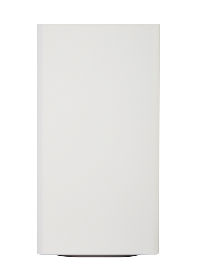
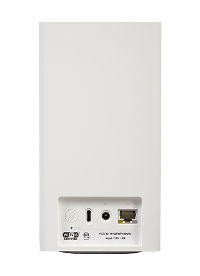
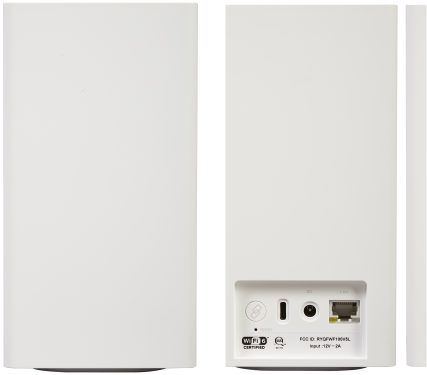
Powered by the 5G/LTE wireless network, the Tracfone All-in-one Internet Router brings fast, reliable, and wireless broadband to your home without any annual contracts or hidden fees. With enough Wi-Fi 6 connections to support your whole family and WPA3 encryption to keep you secure, Tracfone Home Internet brings fast, reliable, and wireless broadband access to you on your own terms.

Frequency Bands

Memory

WiFi
WPS

Max. Connected Devices

LAN
Power

SIM
USB

Dimension

Weight
Accessories
Tracfone Home Internet is a high-speed internet service covered by the Verizon 5G network. It offers similar speed and performance to cable or DSL internet, but uses a wireless signal. The service utilizes a router that receives the cellular signal and provides Wi-Fi for your home devices.
Tracfone Home Internet is available on Tracfone.com or by calling Customer Service at 1-800-867-7183. You may also purchase it on Target.com and select Target stores. If you have questions or need assistance purchasing Tracfone Home Internet, call 1-866-379-0725.
You can purchase Tracfone Home Internet at Tracfone.com, Target.com, select Target stores or by calling Customer Service at 1-800-867-7183. The process involves checking availability at your address, ordering the plan and router, and then activating and setting up the router with a few easy steps once it arrives.
Yes, unlimited data is included in the Tracfone Home Internet plan, and it also includes 200 GB of premium data. After you use the 200 GB of premium data in a plan cycle, your data may be temporarily slower than other traffic during periods of network congestion.
Tracfone Home Internet can deliver download speeds of 20-200 Mbps and upload speeds of 3-15 Mbps. Actual availability, coverage and speeds may vary based on address/location, signal strength and network connection. Customers in 4G LTE coverage zones can expect download speeds of 20-50 Mbps and upload speeds of 3-6 Mbps.
Tracfone Home Internet is currently offered in select areas across the country, and the coverage is expanding rapidly. You can check availability for your specific area.
Tracfone Home Internet requires an availability check at the street address level to maintain a high standard of service. Availability, coverage and speeds can vary even for addresses close together due to factors like signal strength and network connection.
Yes, with download speeds between 20-200 Mbps and upload speeds of 3-15 Mbps, Tracfone Home Internet should be fast enough to support these activities, though actual speeds may vary.
Once you receive your router, you should set up and activate a compatible Home Internet plan as soon as possible to ensure a service reservation is held for you. If you don't have a reservation or if it expired, you'll need to check availability at your address again.
- Activate your Home Internet router
- Plug it in
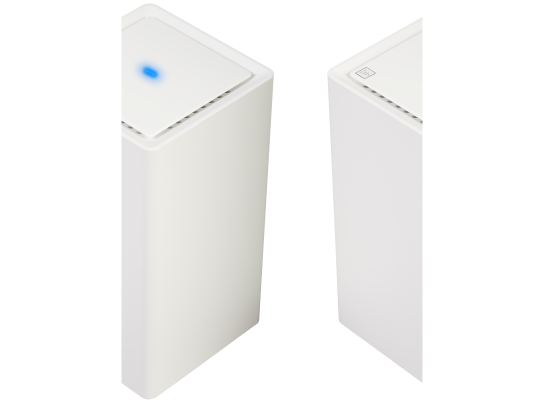
- Check for a solid white light
- Settles on solid white: You’re all set.
- Settles on solid red: Repeat step 2 in a different spot in your home.
- Connect your devices
Visit our activation page and follow the instructions.
Place the internet router on a stable surface as close as possible to a window or exterior-facing wall. Plug one end of the power adapter into the router and the other end into a power outlet on your wall.
The router’s blinking white light means it’s starting up and the light may fluctuate between red and white for up to 10 minutes. Don’t unplug it.
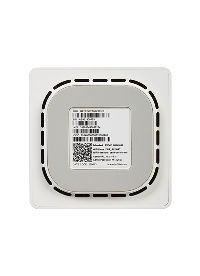
Use the Wi-Fi’s name and password located on the bottom of the router to connect your devices to your new Wi-Fi. To personalize your Wi-Fi’s name and password or other network settings, visit your router administration page at http://192.168.1.1.
For questions or setup assistance, please call us at 1-800-867-7183.
To see if Tracfone Home Internet is available at your specific address, please visit the official website and check for real-time coverage. If the service isn't available right now, we encourage you to check back later for updates.
Even if Tracfone Home Internet isn't available, you may be eligible for Verizon Fios. You can check for Fios availability here.
Additionally, if you have both a Tracfone phone plan and Fios Home Internet, you may qualify for an additional discount. You can learn more about these bundle offers on the Tracfone website.
Yes, you can.
To check if the service is available at a specific address, text the keyword TRACFONEHOME to 611611.
To activate your Tracfone Home Internet service, text the keyword HOMEACTIVATE to 611611 and follow the instructions.
What's in the box?
- Home Internet Router
- Setup guide
- Power adapter
Activating your router
Get help with your Home Internet router, including setup and activation.

More Features
All-in-one broadband and Wi-Fi router
Works on 5G/LTE network
Supports Wi-Fi 6 standard (2.4 and 5 GHz bands) for fast wireless connections in your home
Connect up to 129 devices (1 LAN port + 128 wireless)
